Application guide by addaScanCompare the inspection task, imaging conditions and validation steps with your own production line.
- Task
- Cement bag counting on a dispatch conveyor
- Decision focus
- Bag counter
- Workflow
- Establish the destination and count state.
- Validation
- Known-count runs with shape variation
Track separate, touching and overlapping cement bags
Original explanatory diagrams show the product states and inspection questions. They are schematics, not captured inspection results.
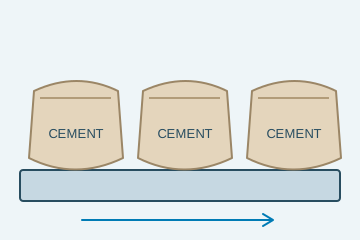
Each crossing can be assigned to one tracked bag.
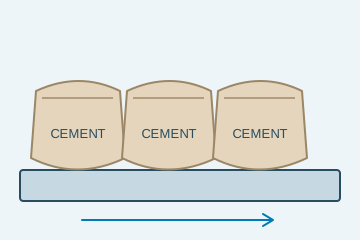
Adjacent objects need reliable separation.
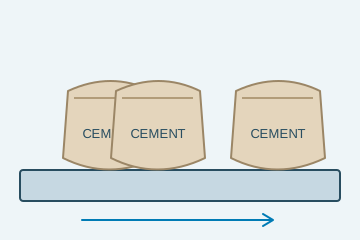
A hidden boundary requires an exception response.
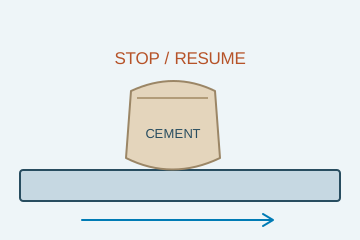
Repeated images must not create repeated counts.
Select an image to view it at full size.
Count cement bags within one identified loading task
Explore Cement bag inspection and Presence and counting inspection to connect this inspection task with the wider station requirements.
Swipe across the table to compare all columns →
| Decision | Evidence to use | Rule to agree |
|---|---|---|
| Bag detected | Separate physical objects in the counting zone. | Flag unresolved overlap. |
| Crossing completed | Confirm direction and a unique track event. | Do not count each image detection. |
| Dispatch total valid | Associate events with the correct loading job. | Reconcile stop, restart and reset conditions. |
Separate object visibility from counter state
Place the counting zone where bags are sufficiently separated and visible despite dust and conveyor movement. Track each bag before the counting boundary and retain whether its accepted crossing has occurred. A dirty window may obscure many bags, while two overlapping bags create a local separation problem; diagnose these conditions differently.
Define whether reverse crossings adjust a net total or require a controlled reconciliation. Do not reset the counter simply because the conveyor stops. If state is lost during a restart, reconcile bags in the monitored zone before continuing. The system cannot reconstruct an unknown loading history from one fresh image.
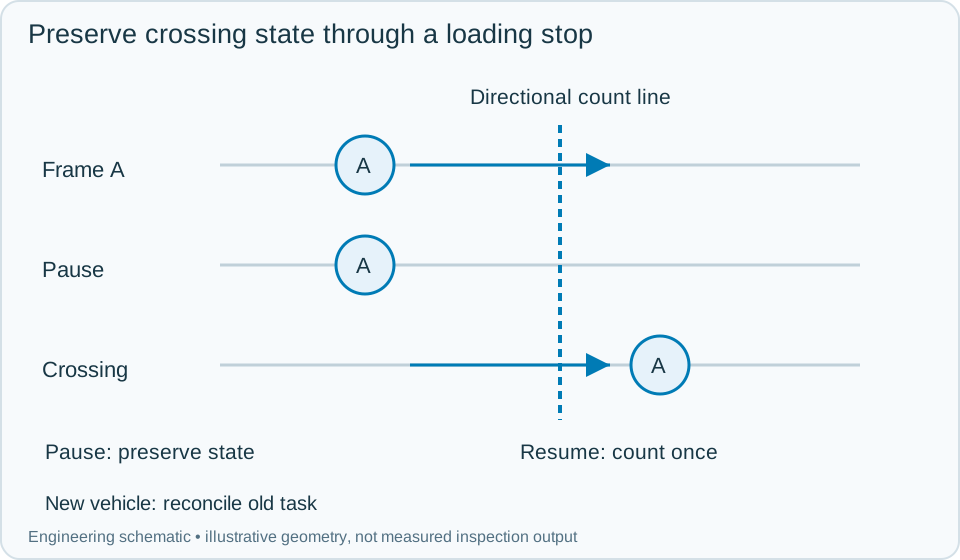
On a small screen, scroll across the diagram to inspect the labels.
Swipe across the table to compare all columns →
| Approach | Useful when | What to validate |
|---|---|---|
| Tracked camera counting | Individual bags remain separable through the zone. | Test deformed and touching bags. |
| Depth-assisted view | Geometry helps reveal overlapping objects. | Validate dust and the actual surface response. |
| Mechanical spacing with counting | Persistent overlap prevents reliable separation. | Assess line capacity and handling constraints. |
Worked example: the conveyor stops with a bag on the line
In an illustrative loading task, track A reaches the counting band and stops. Further frames keep A's state without adding counts. When it continues downstream, record the one qualified crossing. If it reverses, apply the agreed directional rule and preserve both events in the loading log.
Before switching to another vehicle, close the current task only after pending tracks and physical bags are reconciled. A delayed crossing from the old task must not increment the new vehicle's total. If overlapping bags create an unresolved event, pause or use the agreed recount process; do not estimate from the expected order quantity. Store any manual correction with its reason and the original event evidence, then confirm the final loading record.
Swipe across the table to compare all columns →
| Observed evidence | Inspection decision | Action and retained record |
|---|---|---|
| A tracked bag pauses on the counting boundary and appears in many frames. | One unfinished track, not repeated dispatch quantities. | Preserve its crossing state and loading-task ID, apply the qualified direction rule on movement and retain the event history through the stop. |
| Touching bags create an uncertain crossing while the expected order total is known. | Observed count remains unresolved despite the planned quantity. | Pause or use the agreed recount route, retain the ambiguous sequence and record authorised adjustments separately from confirmed automatic events. |
| A vehicle change occurs with unfinished tracks or a late crossing response. | Old and new loading tasks must be reconciled. | Close the previous task only after pending bags are resolved, block stale increments in the new task and preserve the final loading record. |
What should happen when a bag count is uncertain?
- 01Open the dispatch jobEstablish the destination and count state.
- 02Track bags through the zoneMaintain identities across frames.
- 03Count each valid crossingApply direction and duplicate-event rules.
- 04Reconcile the loadResolve exceptions before accepting the total.
Track each bag across a defined direction and boundary, then record the completed crossing once. Define how reversals, conveyor stops and job changes affect a tracked item. Counts must survive or be reconciled after a restart; a reset that clears visible bags from memory can count them again when motion resumes.
Validate dust, overlap and recovery separately
Test window contamination, touching bags, a pause on the boundary, reverse movement and a controller restart with bags present. Compare the confirmed event total with an independently established quantity.
Keep confirmed counts, uncertain events and authorised adjustments separately visible. A dispatch total should be explainable from its event history, including task changes, rather than being a number that operators must trust without evidence.
Swipe across the table to compare all columns →
| Challenge | What the trial should establish |
|---|---|
| Known-count runs with shape variation | Measure undercount and overcount separately. |
| Touching and overlapping bags | Verify separation or explicit exceptions. |
| Dust accumulation and lighting changes | Test the maintenance and invalid-image response. |
| Stop, reverse, restart and job change | Prevent duplicate crossings and wrong-job totals. |
What a camera bag counter cannot tell you
Bag count does not establish bag weight, product identity or package integrity. If those are required, connect independently scoped checks to the same dispatch record. Avoid assuming that dust-free sample results predict performance at the loading point without an operating-condition trial.
Use PLC and reject integration to develop the related acceptance and integration questions for your trial.
Bag spacing and dispatch-count rules for a trial
The building materials guide connects bag counts with loading tasks and dispatch records; counting does not establish cement quality or bag weight.
Provide bag types, independently counted runs, touching and overlapping bags, stop/reverse scenarios, dust and lighting conditions, and the dispatch-job reset rules.
Use the optical and recovery challenges above when applying the architecture choices in HIKROBOT and other vision solutions comparison.
Scope and budget
Review bag presentation, counting and loading-task interfaces in the cement bag inspection scope and cost factors.
Testing and handover
Use the testing and handover process to test overlaps, stops and uncertain counts before the dispatch total can be confirmed.