Application guide by addaScanCompare the inspection task, imaging conditions and validation steps with your own production line.
- Task
- Wine front and back label verification
- Decision focus
- Label verification
- Workflow
- Select the approved front/back pairing.
- Validation
- Correct pairs across bottle rotation
Match both wine labels to the product and vintage
Original explanatory diagrams show the product states and inspection questions. They are schematics, not captured inspection results.
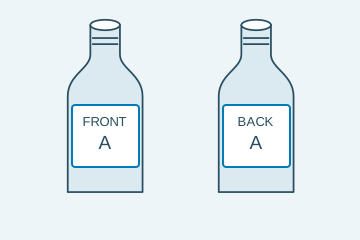
Front and back references belong to the active recipe.
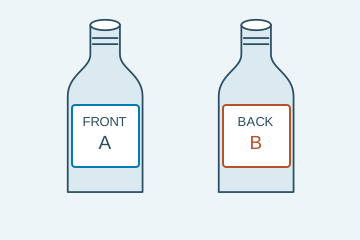
Both labels exist but their identities do not match.
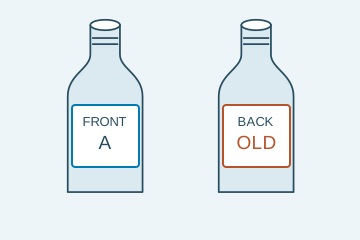
A small text difference changes the required identity.
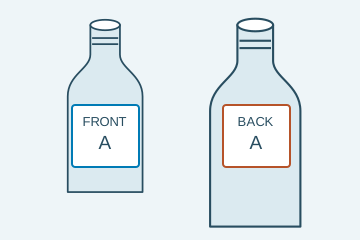
Correct artwork may be applied to the wrong bottle family.
Select an image to view it at full size.
Verify the front-back label pair against the bottle recipe
Explore Label and print inspection and Wine bottle label inspection to connect this inspection task with the wider station requirements.
Swipe across the table to compare all columns →
| Decision | Evidence to use | Rule to agree |
|---|---|---|
| Pair correct | Compare each label identity with the approved pairing. | Do not stop at presence. |
| Required text correct | Read the fields that distinguish versions. | Confirm the smallest text remains resolvable. |
| Placement and bottle correct | Use bottle-based geometry and the current recipe. | Separate placement from artwork identity. |
Separate label identity from variable-year verification
Select visible features that distinguish approved artwork versions, then assign changing fields such as the year to a separate recognition or verification rule. Two products can share most artwork but differ in a small statement. Confirm that the required field is visible at the intended bottle angle.
Front and back views must belong to the same bottle event. Rotation can expose hidden fields, but increases the need to track the bottle and view sequence. If one label remains hidden by handling or orientation, return incomplete pair verification. A valid front view cannot stand in for the missing back view.
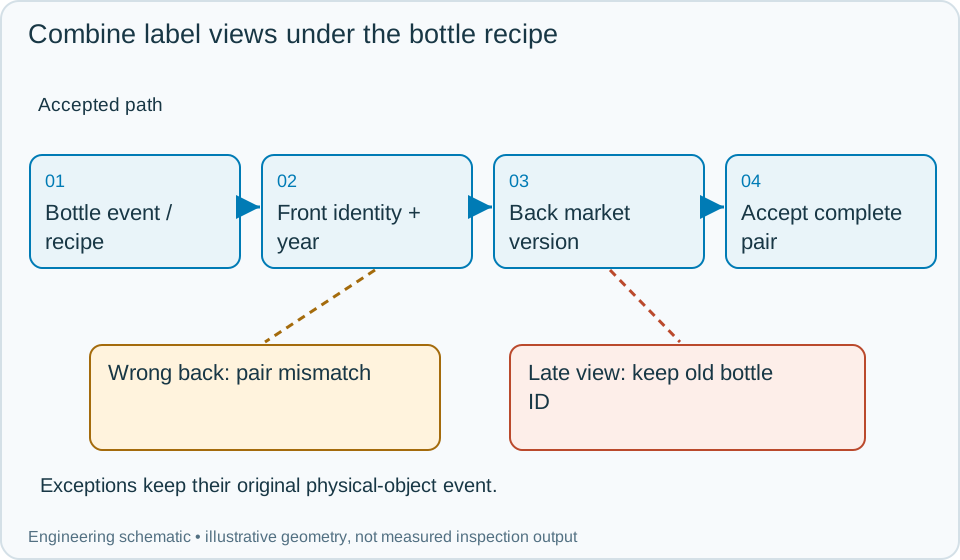
On a small screen, scroll across the diagram to inspect the labels.
Swipe across the table to compare all columns →
| Approach | Useful when | What to validate |
|---|---|---|
| Artwork comparison | Versions have visible distinguishing features. | Challenge nearly identical designs. |
| OCR or code verification | Specific data carries the identity difference. | Check whether the code distinguishes the exact revision. |
| Multi-view inspection | Front and back cannot share a reliable view. | Associate every view with the same bottle. |
Worked example: the front is correct but the market back label is wrong
In an illustrative changeover, the recipe expects a specific front design, vintage and export-market back label. The front identity and year pass, but the back label carries another market statement. Hold or reject the bottle for pair mismatch, preserving both views and the expected recipe values.
After clearing old labels, inspect identified first-off bottles from the new run. A bottle with the correct artwork but a previous year fails the variable-field rule separately. If the back image is missing, reacquire only while the same bottle remains established; a late back view from the prior bottle cannot complete the current pair. Record each attempt and confirm the physical rejection or release of that bottle.
Swipe across the table to compare all columns →
| Observed evidence | Inspection decision | Action and retained record |
|---|---|---|
| The front label and vintage pass but the back statement belongs to another export market. | Front-back pair mismatch. | Keep both views and expected recipe fields, reject the identified bottle and clear residual labels before controlled first-off verification. |
| The correct artwork carries a previous year in the variable field. | Content mismatch independent of artwork identity. | Retain the observed and expected year, reconcile printing or label stock and confirm the bottle's physical rejection or authorised rework. |
| The back view arrives late after the next bottle's front view. | The two views do not form one verified pair. | Preserve bottle events and leave the current pair incomplete; obtain the missing qualified view or use the identified exception route. |
How should a wrong front-and-back label pairing be handled?
- 01Load the bottle recipeSelect the approved front/back pairing.
- 02Expose both facesCapture the distinguishing features.
- 03Verify each requirementCheck identity, data and placement separately.
- 04Release the matched bottleRequire complete results before packing.
Keep both face results associated with the same bottle. At changeover, update the artwork references, expected data and bottle geometry together. A correct front label should not mask a failed or absent back-label view. Record which requirement failed so operators can distinguish wrong pairing from placement or print faults.
Challenge near-identical labels during every relevant changeover
Include the same front with different backs, the same design with different years, rotated bottles and partial label coverage. Verify that recipe acknowledgement updates all related fields together rather than only the most visible front label.
Store the bottle event, front/back image association, artwork versions, observed variable fields and disposition. These records make a mixed-label investigation more useful than a single overall label score.
Swipe across the table to compare all columns →
| Challenge | What the trial should establish |
|---|---|
| Correct pairs across bottle rotation | Confirm both required faces are inspected. |
| Wrong market or vintage back label | Test the smallest meaningful difference. |
| Wet, glossy and foil labels | Measure accepted-variation false rejects. |
| Changeover with a previous-job bottle | Verify the complete recipe switch. |
What label images cannot establish about the wine
This station checks the agreed identity and visible label features, not complete regulatory compliance. If mandatory statements require verification, define their exact content and a method that resolves them. Hidden text or two visually identical labels cannot be reliably distinguished from appearance alone.
Use Label verification SOP to develop the related acceptance and integration questions for your trial.
Wine labels and product recipes for a trial
The bottling and canning guide connects label pairing with bottle presentation, product changeovers and the route to packing.
Provide approved front/back pairs, previous revisions, similar vintages and market variants, bottle families, normally damp samples and the line’s orientation/changeover process.
Use the optical and recovery challenges above when applying the architecture choices in HIKROBOT and other vision solutions comparison.
Scope and budget
Review label views, product recipes and changeover controls in the wine bottle label inspection scope and cost factors.
Testing and handover
The testing and handover process should include a correct front label paired with the wrong back label and verify the rejected-bottle route.